

Set up your study with juli
Create your researcher account to get started. Enter your details and we'll send you a confirmation link — once verified, you can start configuring your study right away.

Study Details
Let's start with the basics. Give your study a name and set the timeframe. Most of these details can be updated later, so don't delay getting started.
2. Consent & Recruitment
When participants join your study, they'll receive a link to download the juli app. You can choose to handle information and consent directly within the app — or manage these steps externally and skip this section.
Select which elements you'd like juli to present to participants at the start of their onboarding.
3. Participant Data
Select the demographic data you'd like to collect from participants during onboarding. This information is stored securely and linked to their study records.
We recommend collecting only what your study protocol requires. Every additional field adds a step to onboarding, which can affect completion rates.
You can update these selections until your study starts.
4. Passive Data Collection
Smartphones and smartwatches continuously capture health data without participants needing to do anything actively. Once participants grant juli access to Apple Health or Google Health Connect, this data flows into your study automatically.
A note on data quality: The device matters. A smartwatch worn overnight will produce richer sleep data than a smartphone alone. Keep this in mind when communicating device requirements to participants.
Third-party apps that sync to Apple Health or Google Health Connect — such as menstrual cycle trackers or fitness apps — will also feed into juli, as long as the connection is enabled.
Data granularity: many of the data elements listed are available in different granularity. Click here if you want to downlaod a list with all options.
5. Self-report and ecological momentary assessments
Collect structured data from participants through validated questionnaires or custom daily check-ins.
Standard questionnaires are presented at pre-set intervals you define. Choose from validated instruments or add your own.
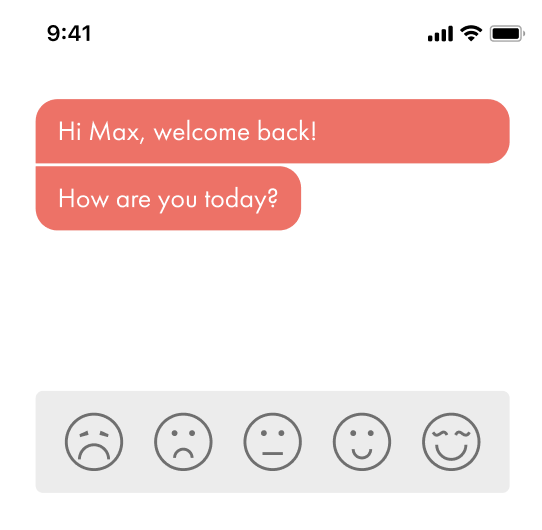
Daily questions are brief prompts shown each day. We recommend starting with a "How are you?" question — a single tap on a 5-point scale. It's a low-friction entry point that significantly improves engagement with any questions that follow.
6. Additional Features
These optional features add value for participants beyond data collection — increasing engagement and supporting study retention.
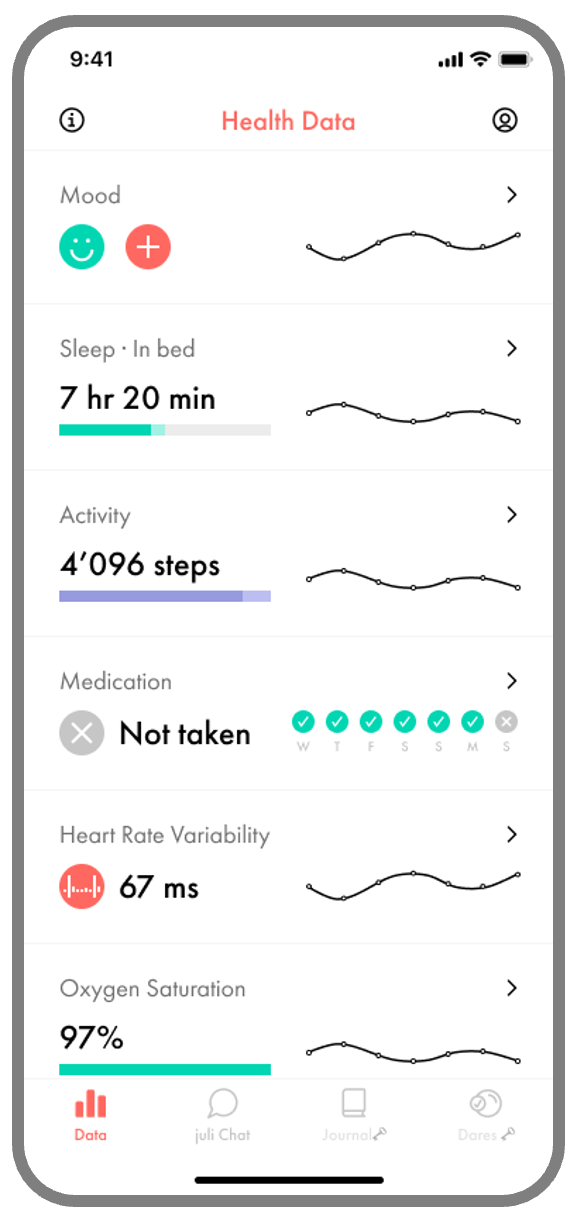
Data Dashboard A personalised view of participants' tracked data: mood, sleep, activity, heart rate variability, and more. Showing participants their own data in real time gives them a reason to stay engaged throughout the study.
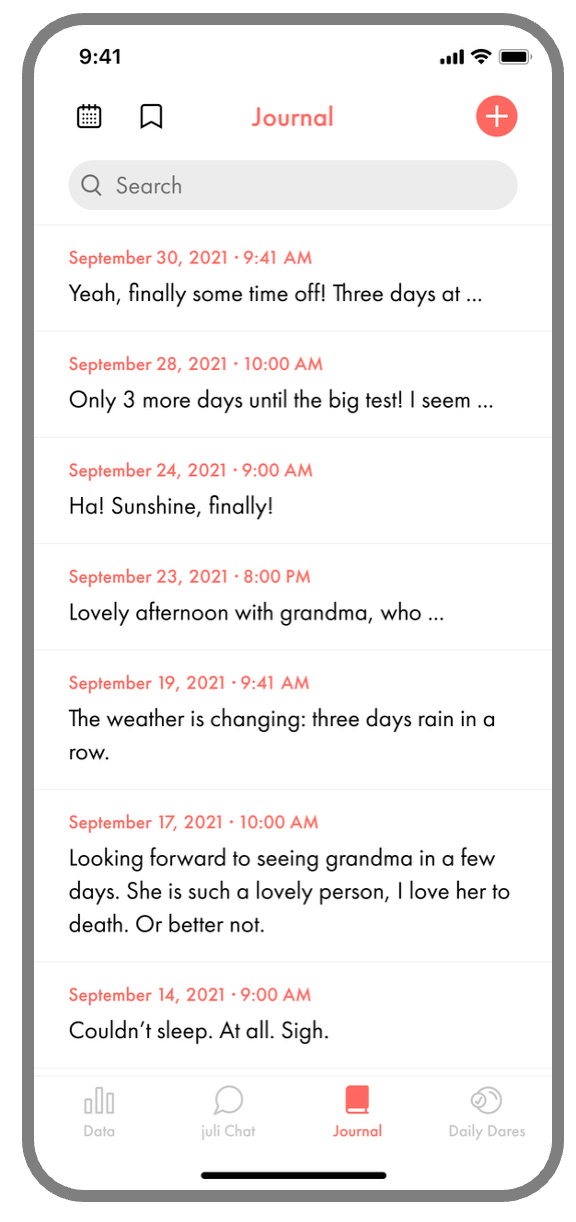
Journal A private space for participants to log thoughts, symptoms, or experiences in free text. Entries are timestamped and searchable. Useful for capturing qualitative context alongside your quantitative data.
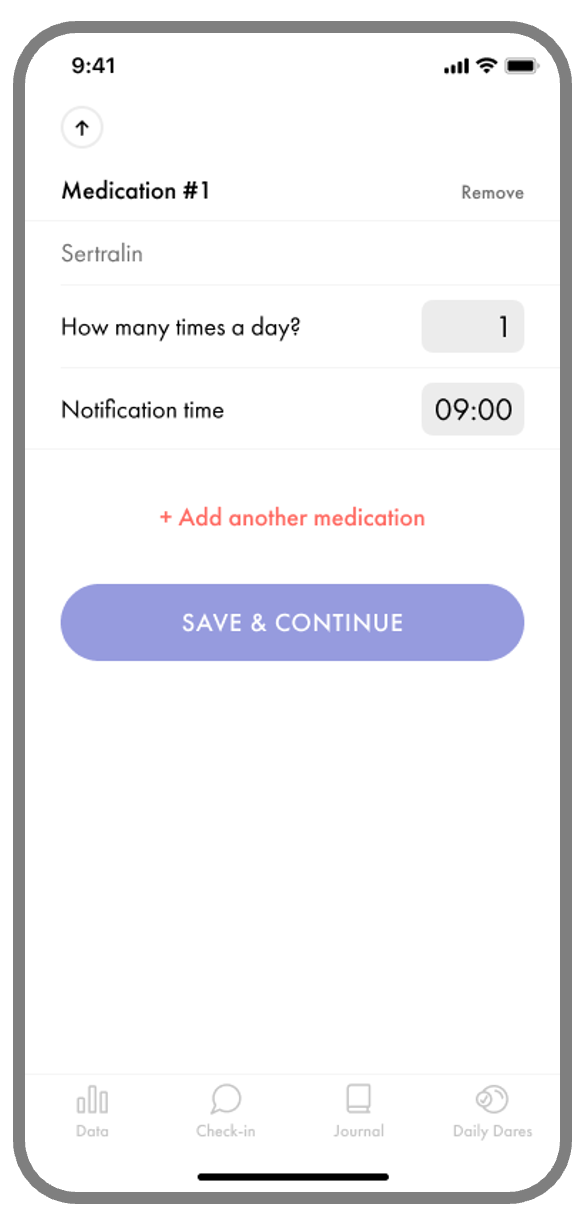
Medication Reminders Participants can log their medications and set daily reminders. With adherence rates a known challenge in longitudinal studies, this feature helps participants stay on track — and gives you a reliable record of medication behaviour as part of your dataset.
7. Profile / Settings
Every participant has access to a personal profile within the app. Here they can review the information they entered during onboarding, and access the legal documents relevant to their participation at any time.
The profile may include:
Their onboarding data — the demographic details they provided when joining the study (e.g. age, gender), which they can review at any time
Consent form — the version they agreed to at the start of the study, permanently accessible for reference
Terms & Conditions and Privacy Policy — always available, giving participants full transparency over how their data is used
This is a built-in feature of the juli app and requires no setup from you as a researcher.